Run PostgreSQL on Kubernetes from a web page.
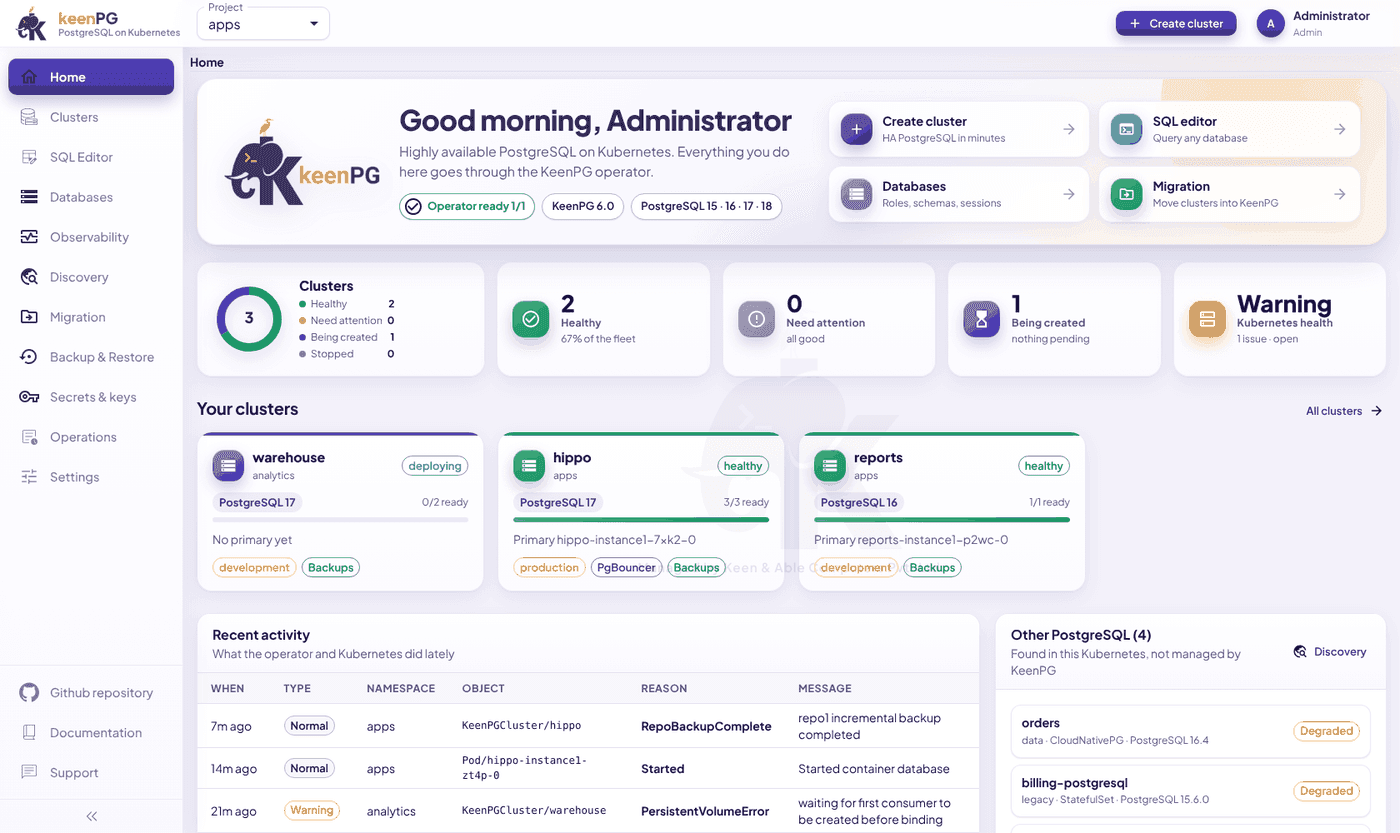
Every screen in the console.
These are screenshots of the console itself, with sample data.
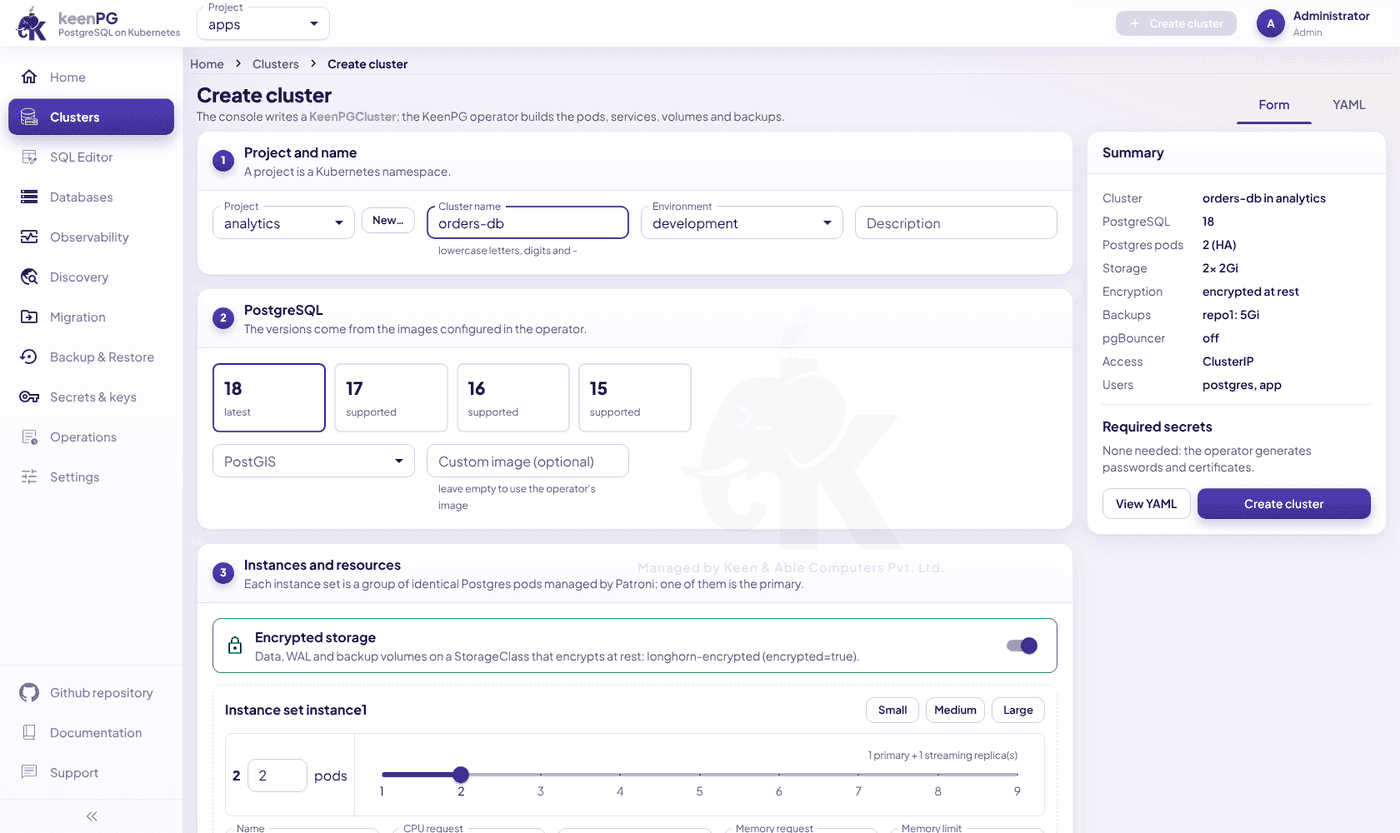
Create cluster
A guided form, no YAML
Nine steps: project and name, PostgreSQL 15 to 18, PostGIS, instances and size, backups, PgBouncer, networking, users and databases, parameters, and initial data.
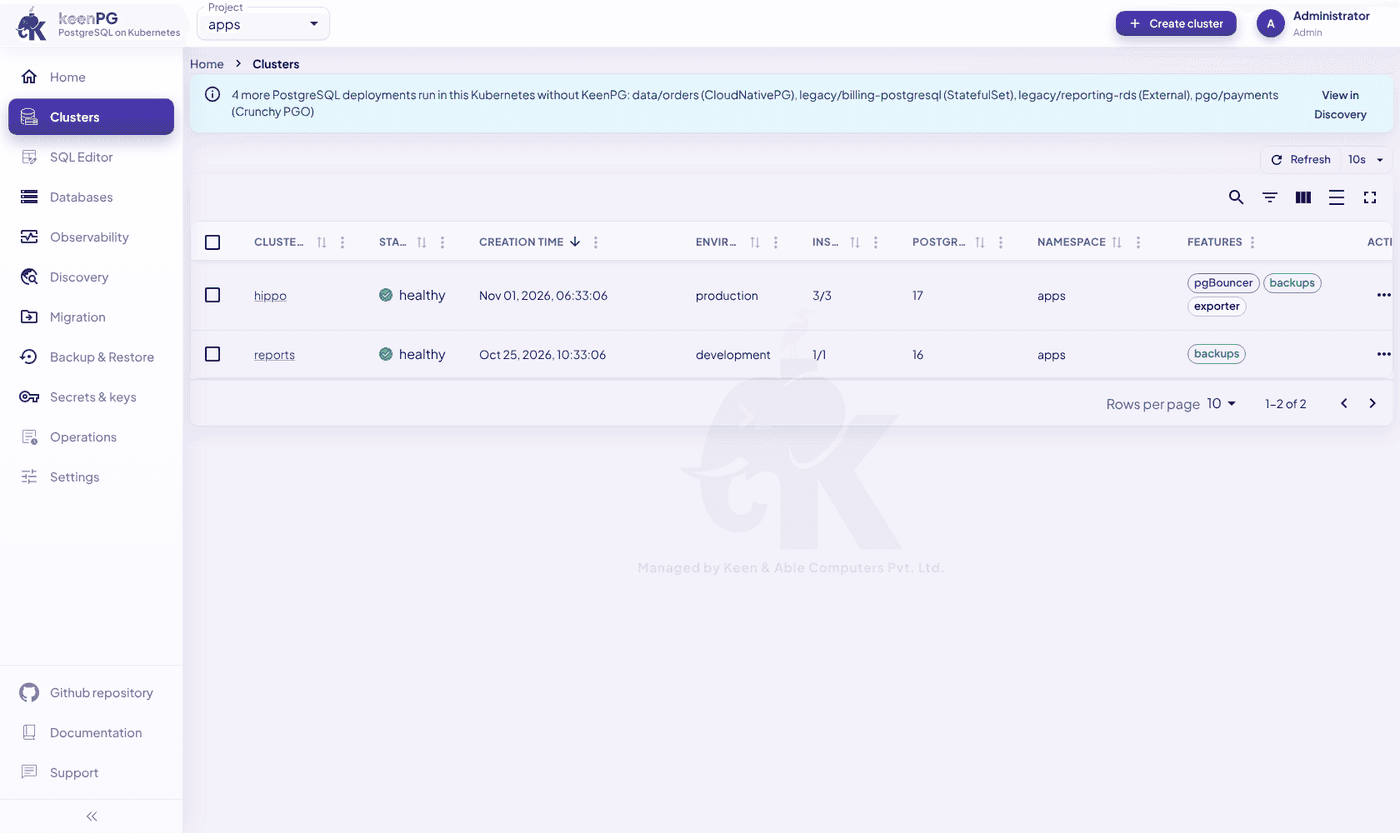
Clusters
Every cluster on one list
Status, environment, ready instances, PostgreSQL version and features for each cluster, refreshed every 10 seconds.
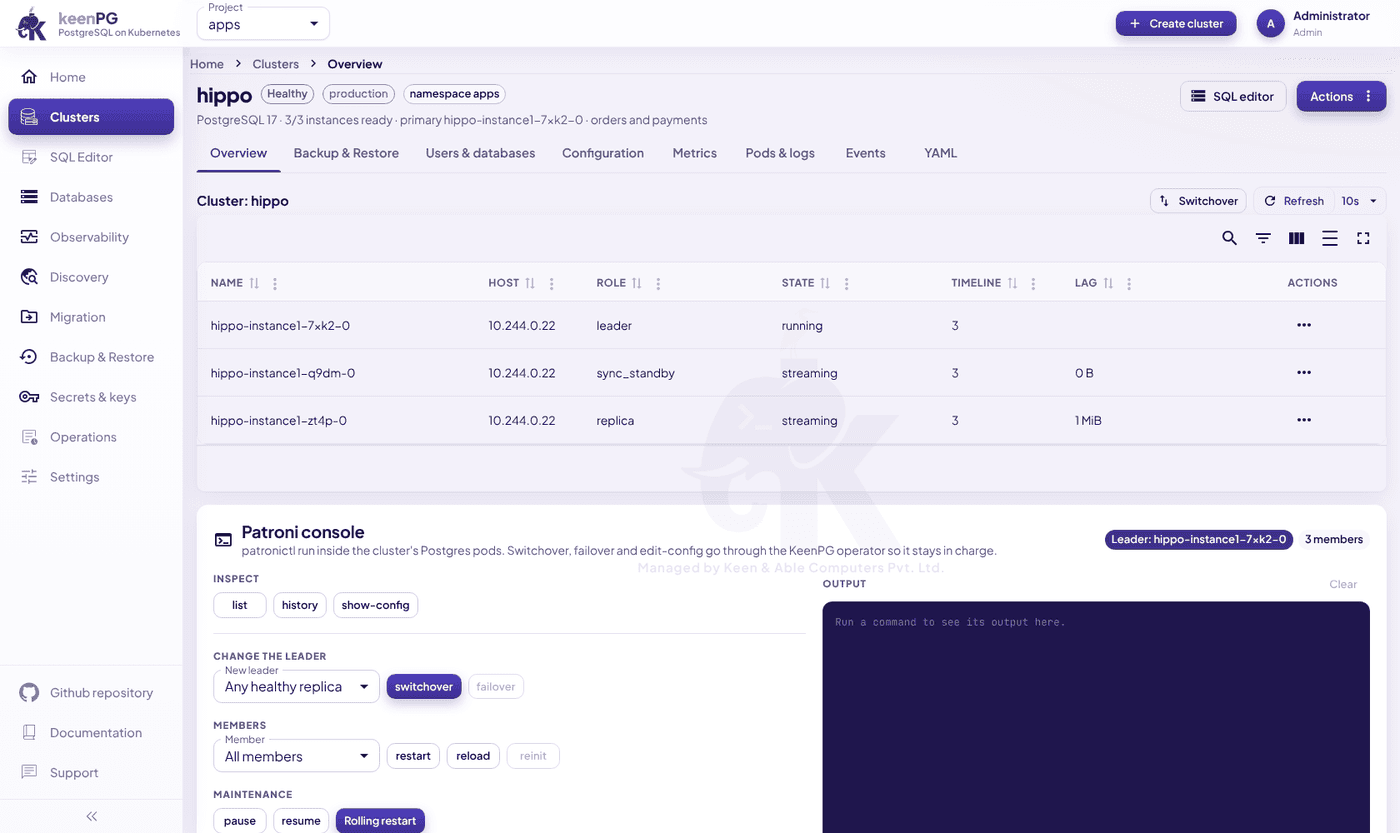
Cluster detail
Patroni without the terminal
Eight tabs for one cluster, plus a Patroni console for switchover, failover, restart, reload, reinit, pause, resume and rolling restart.
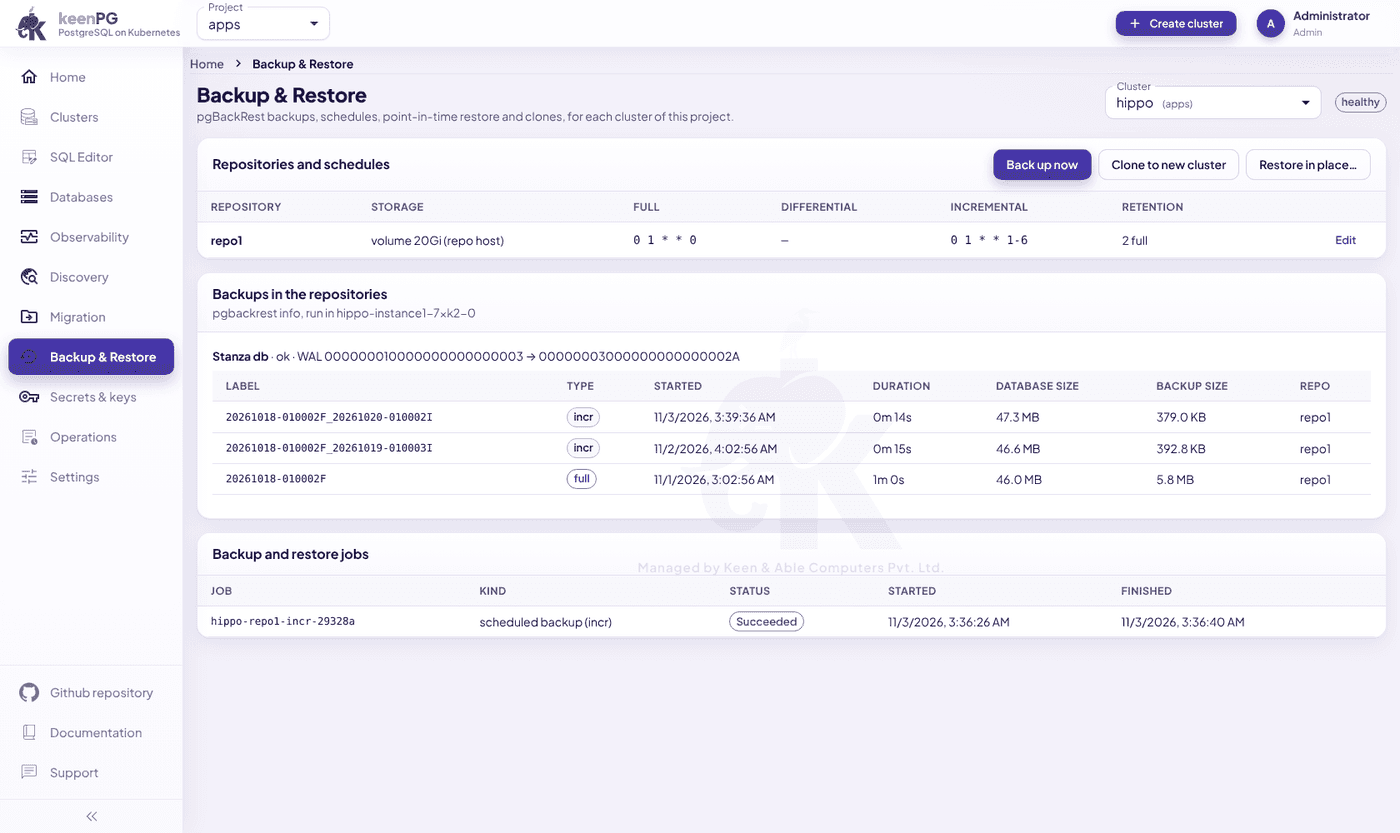
Backup & Restore
Schedules and point-in-time restore
Manage repositories and schedules, see full, differential and incremental backups, run one on demand, restore to a point in time, or clone to a new cluster.
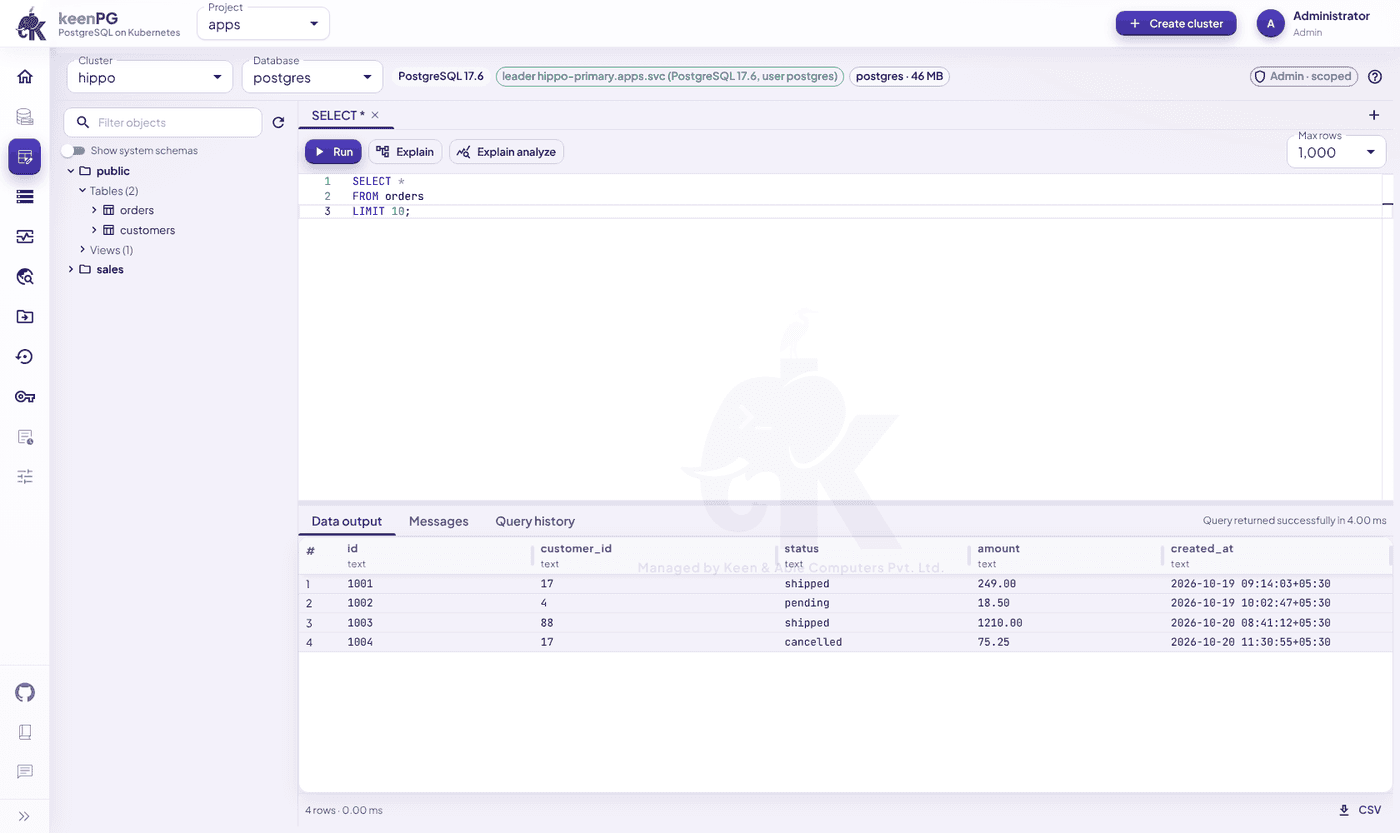
SQL Editor
Query any database, with an audit trail
Browse schemas, run queries, use Explain and Explain analyze, go back through query history and export to CSV. Every query is written to the audit log.
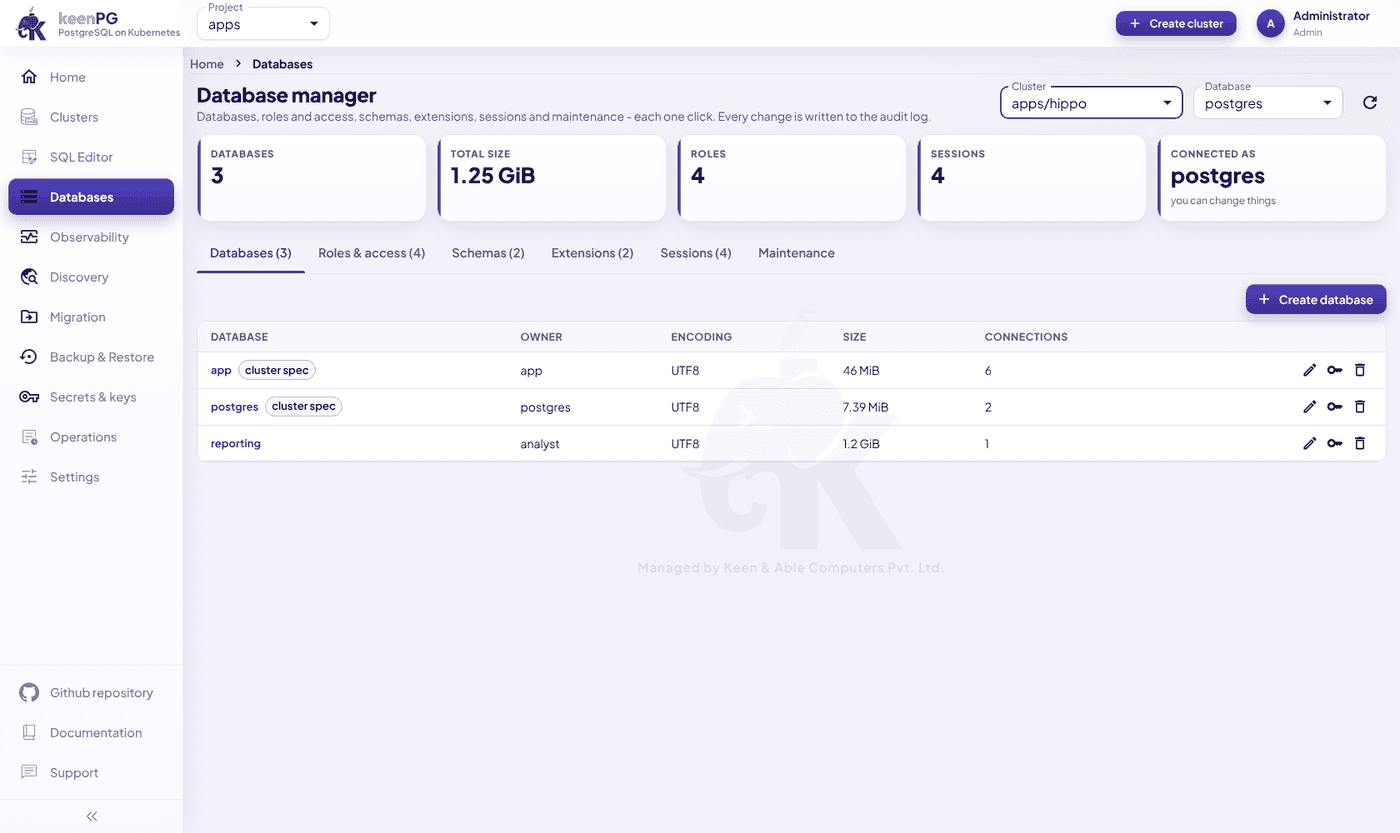
Databases
Roles, schemas and maintenance
Manage databases, roles and access, schemas, extensions and sessions, and run VACUUM, ANALYZE and REINDEX.
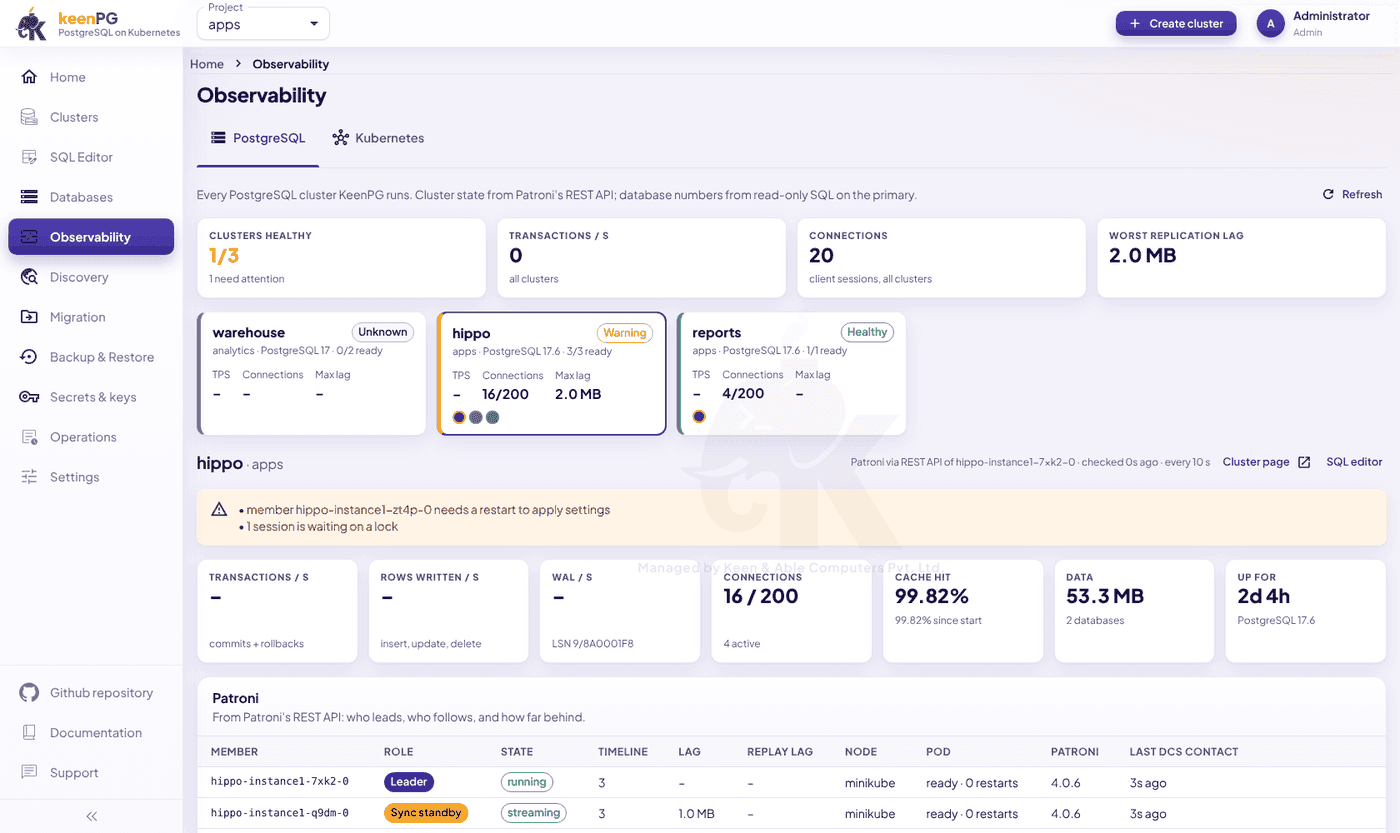
Observability
Health across all clusters
Health cards across clusters, warnings, Patroni member tables, detailed metrics and a Kubernetes health tab.
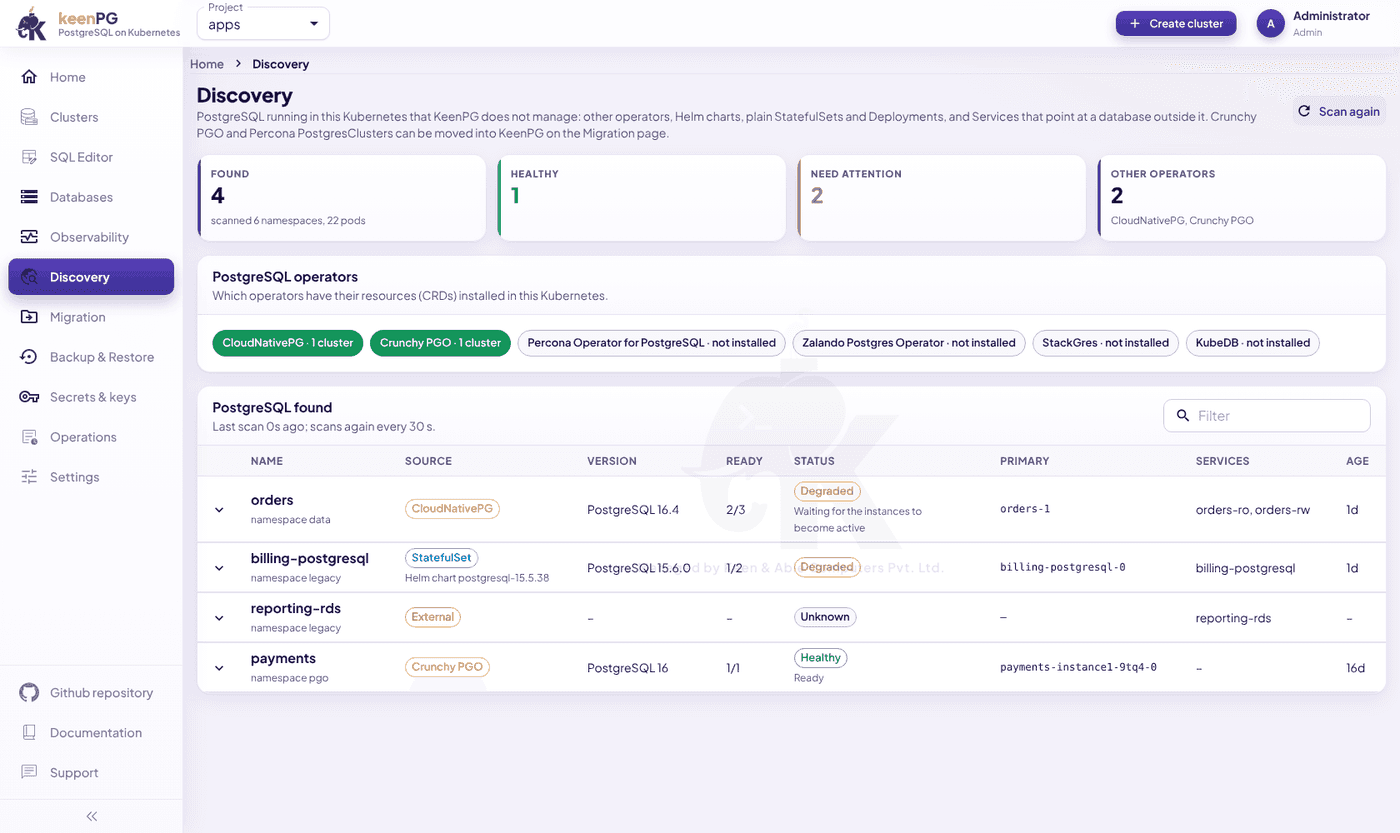
Discovery
Find the Postgres you already run
Finds PostgreSQL that keenPG doesn't manage, including CloudNativePG, Crunchy PGO, Percona, Zalando, StackGres and KubeDB. It scans again every 30 seconds.
Migration
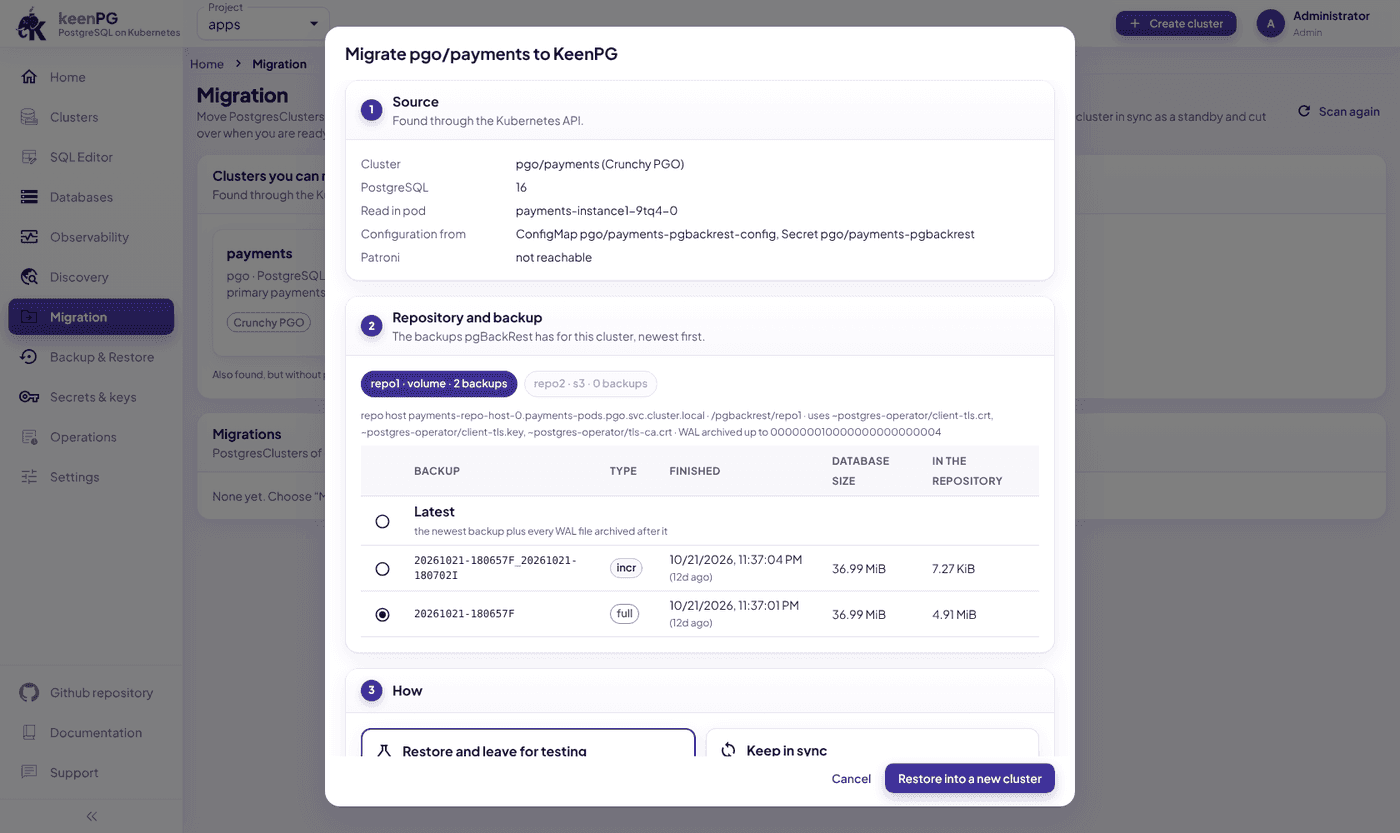
Bring existing clusters across
Moves Crunchy PGO or Percona databases into keenPG by restoring from their backups, with a test restore, continuous sync and cut-over. The source database isn't changed.
Users & access
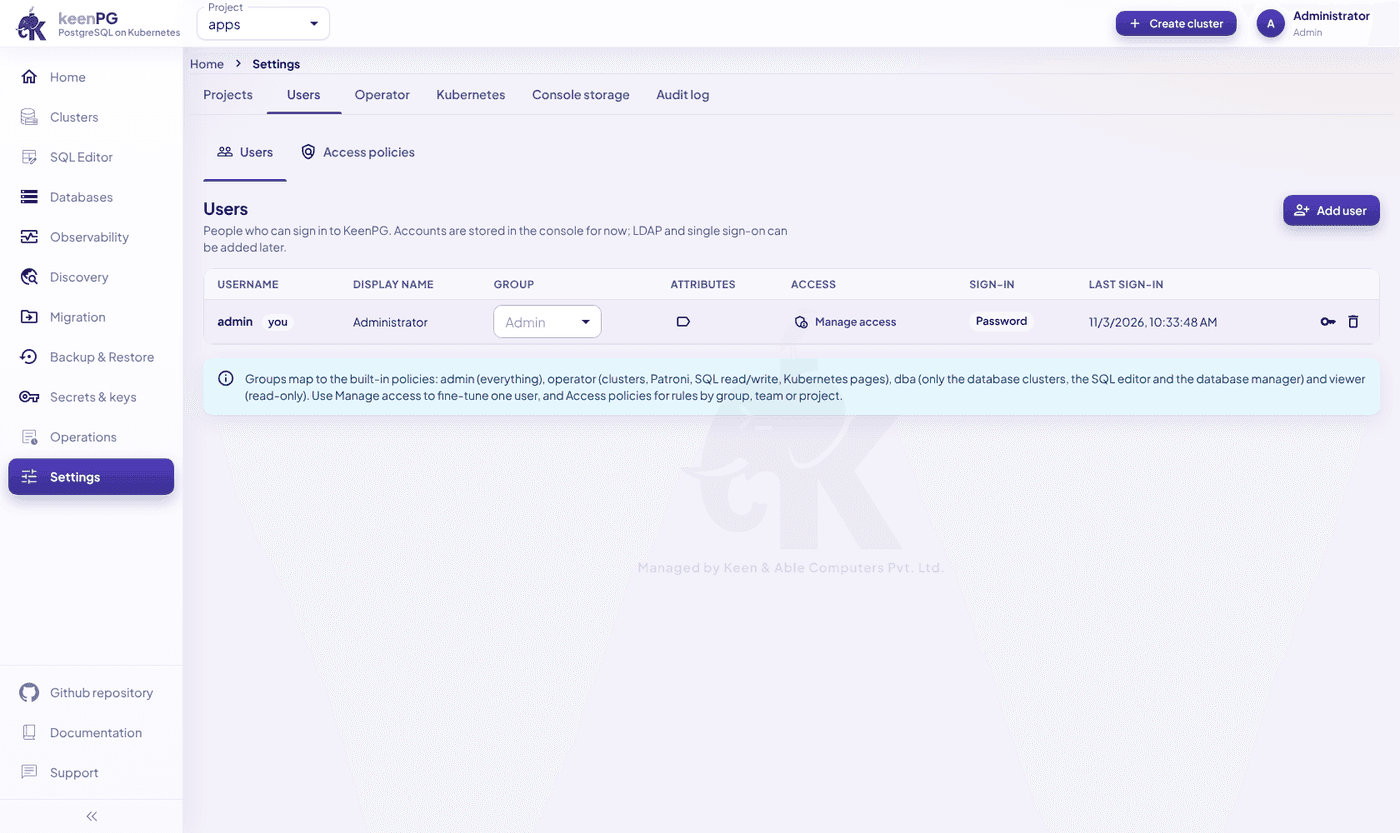
The right access for each person
Four groups (Admin, Operator, DBA and Viewer), per-user permission overrides, and access policies where deny overrides allow.
See the console on your cluster.
Book a demo and we'll walk through it with a Postgres engineer.